
The pages
Saved Points
Where you parked, camped, found water: up to 50 points, kept on the watch, with their distance and direction from where you are now.
The list
Open it from the Location page: press START, then take Saved. Saved works even before there is a GPS fix.
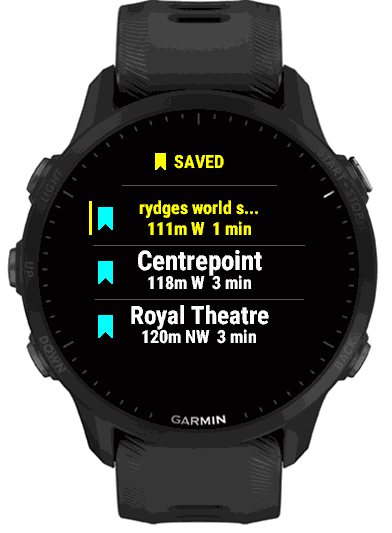
Each point shows its icon (the one for its name, as in the Save panel; a bookmark for any other name), its name, how far and which way, and how long ago you saved it. The list shows three to a page, newest first. One point is lit, with a yellow bar and its two lines in yellow; the others are white. Once the list is longer than a page, the foot says where you are, such as "5/12".
UP and DOWN move the light along the list a row at a time, and the page turns when the light passes its last row. BACK returns to the Location page. A tap on a point opens it.
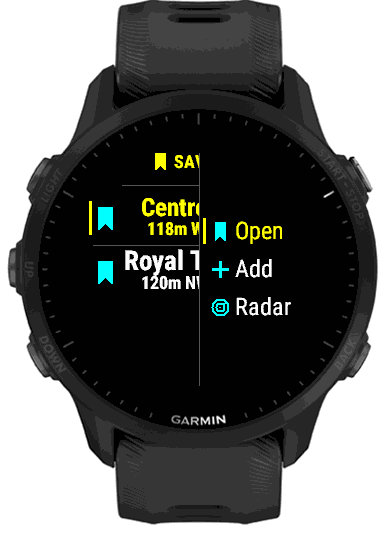
The menu: Add, Open, Radar, Map, Delete
Press START (or tap beside the points) for the menu.
- Add
- Saves a point, as below.
- Open
- Shows the lit point on a screen of its own, with a compass band to walk back to it. It is the one lit when the menu opens.
- Radar
- Shows every saved point on a plan, as below.
- Map
- Shows every saved point, each pinned with its name, and you as a blue dot, on the Garmin map, zoomed so that all of them are on the screen at once.
- Delete
- Deletes the lit point, after asking you to confirm. Touching and holding a point does the same.
An option that cannot be taken yet is greyed out: Open, Radar and Map need a saved point and a position, Delete needs a saved point, and Add needs room in the list.
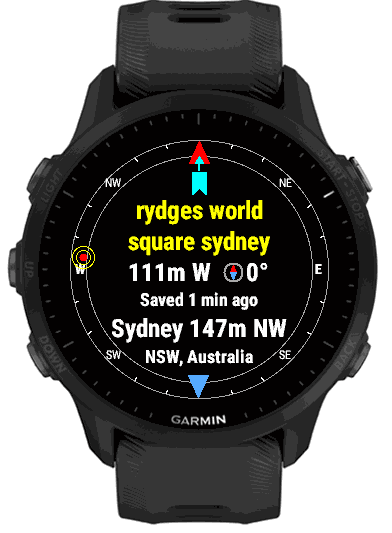
A saved point on its own
It looks like any other place, with the time you saved it ("Saved 1 min ago") and an inner circle that completes the compass band. In its menu the first row is Delete, which asks you to confirm. You can also touch and hold a point in the list to be asked whether to delete it.
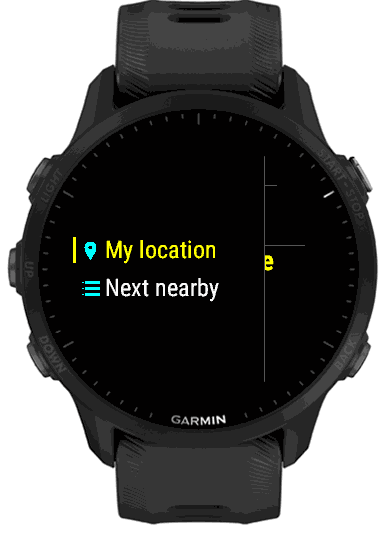
Add
- My location
- Opens the Save panel with its names (Parked, Home, Work and the rest) and saves where you are, as the Location page does.
- The places below it
- The nearest places, nearest first, each with its icon and two lines: its name, then how far away it is, which way, and what it is. Four rows show at a time, My location and three places: DOWN moves on down them and scrolls the list when it goes past the last, UP scrolls back. A blue arrow above the rows says there are more above them, and one below says there are more below; a thin bar on the menu's left edge shows where you are in the list. START (or a tap) on a place saves it under its own name (its kind when it has none) and closes the menu. BACK closes it without saving. The Filter applies: with Drinking ticked, the list is drinking water.
Both need a position: without one, My location is greyed out and the places wait for the GPS.
The radar of your saved points
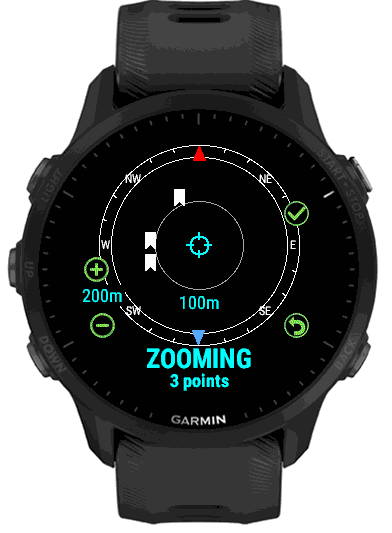
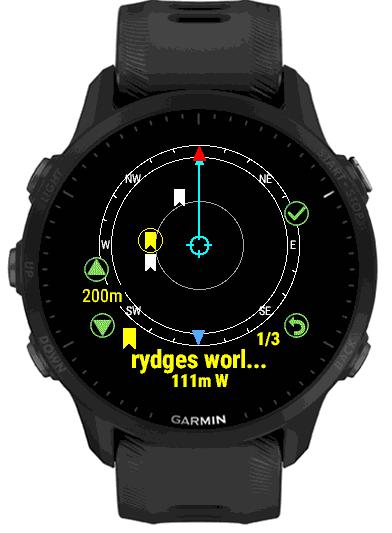
It works like the Radar, with your saved points in place of the places of the data: the plan turns with the compass and they are always drawn as icons, never dots. It opens on the radius that takes in your 10 nearest points (all of them when there are fewer). A point beyond the circle stays on its edge, on its bearing, in dim grey, so every saved point is always on the plan. UP zooms in and DOWN zooms out; START goes on to browsing, then to opening the picked point, and round again. BACK returns to the list.
Your points are safe
- They are kept on the watch only. Nothing is sent anywhere.
- Updating the app keeps them. The app never clears them: they go only when you delete them, one at a time.